
Sub-Total: RM0.00


Are WiFi Digital Locks Worth the Investment? A Malaysia Homeowner’s Honest Review
WiFi-enabled digital locks cost more than standard models and use battery slightly faster. The question most Malaysian homeowners eventually reach is straightforward: is the upgrade worth it? The answer depends on how you use your home. Here is an honest look at what you gain, what you give up, and which households benefit most.
What a WiFi Digital Lock Actually Adds
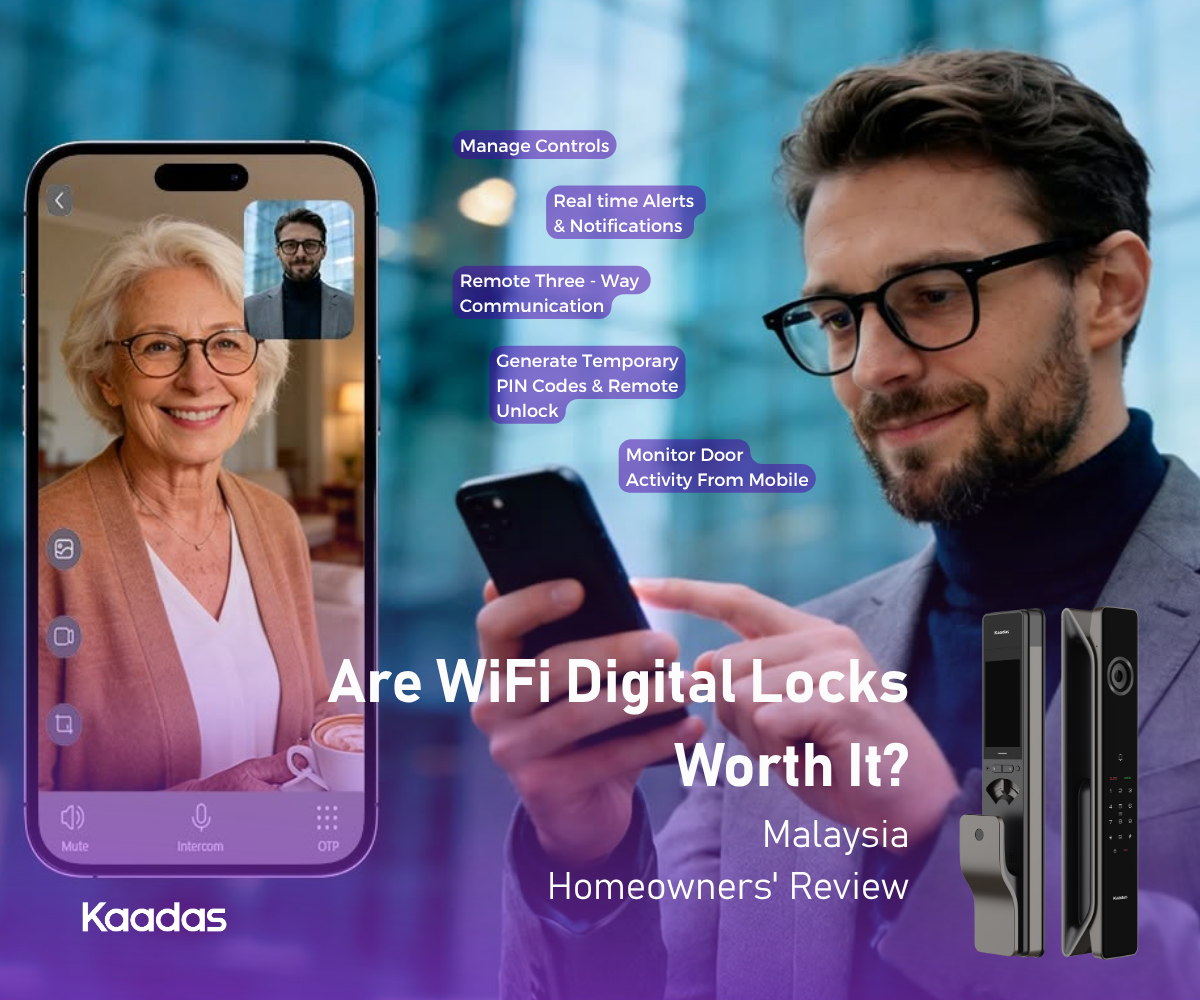
A standard digital lock gives you fingerprint, PIN, and card access (face recognition on selective models), all working without any network connection. A digital lock with WiFi gives you everything above, plus remote unlock from anywhere via the Kaadas Smart app, real-time access notifications pushed to your phone, user management from your phone (add, remove, and schedule access codes without standing at the door), access history viewable at any time remotely, low battery alerts before the situation becomes urgent, and tamper alarm notifications.
WiFi models that also carry the Video Door Viewer function add another layer on top of that. You can view your doorstep on demand from the app, record footage or capture a screenshot of whoever is there, and speak to them directly through two-way communication (three-way communication is available on the K70SE). Doorbell alerts push straight to your phone, quick replies let you respond without holding a full conversation, and a voice changer lets you mask your voice when you would rather not sound like yourself at the door.
None of these require you to be home. They work as long as your lock is on your WiFi network and you have a data connection on your phone.
The Real Trade-Offs
The first trade-off is power draw. Face recognition, an always-on network connection, and camera monitoring all ask more of the battery than a basic offline lock does. Kaadas designs around that rather than leaving you to manage it.
Models with face recognition come with a high-capacity rechargeable lithium battery included, so there is no battery to buy and no spare set to keep in a drawer. Recharging is straightforward, and because one rechargeable battery does the work of a long run of disposables, it keeps a steady stream of used batteries out of your household waste.
Service intervals are comparable to what you would expect from alkaline batteries. Depending on the model and how heavily your household uses the door, a charge lasts roughly four to six months or six to twelve months. A family of five coming and going all day will recharge more often than a couple who leave in the morning and return in the evening. Models that run on standard alkaline batteries stay inexpensive to keep topped up, and Kaadas recommends checking them roughly every six months as best practice.
Whichever type your lock uses, the app sends a low battery alert well before the situation becomes critical, so charging is something you schedule rather than something that catches you out.
The second trade-off is WiFi dependency. If your home network goes down, whether from a router restart, an ISP disruption, or a TNB power cut, the remote access features stop working. What matters is what keeps working. Fingerprint, PIN, and card access all run on the lock itself, powered by its own battery, so they are unaffected by anything happening to your router or your mains supply. Your door still opens exactly as it always does. You simply lose remote control until the network returns, and it reconnects on its own once it does.
Who Benefits Most from WiFi Connectivity
Households with domestic helpers, elderly family members, children, or tenants see the clearest return. Creating time-restricted PINs via the app, monitoring arrival and departure times, and revoking access remotely when employment ends are significantly more practical than managing physical keys or programming the lock directly.
Property investors and landlords benefit from being able to manage tenant access without visiting the property. A new tenant PIN can be created and an outgoing one revoked between tenancies, with the access log providing a basic occupancy record. The smart security for rentals guide covers how to structure this for multiple units.
Frequent travellers gain peace of mind: confirming the door is locked after a rushed departure, letting in a trusted person for a delivery or emergency, and receiving tamper alerts while away are features that pay for themselves after one avoided locksmith call.
Families with children use the access log to confirm arrival times from school, without a phone call or text message required.
Kaadas vs OEM Alternatives: What the Difference Actually Means
The Malaysian market has a significant number of low-cost WiFi digital locks built to a generic commercial specification and rebadged under various labels, without proprietary R&D behind them.
Kaadas takes the opposite approach: the company develops its own core technology, including its 3D face recognition system and the app infrastructure that powers remote access, and pairs it with a premium fingerprint sensor from Sweden’s Fingerprint Cards (FPC), a supplier trusted by global technology brands. The same thinking runs through the rest of the hardware. The rechargeable battery comes from an established battery manufacturer rather than an unbranded cell, and the lock is assembled from components chosen on merit rather than on cost. A lock is only as reliable as its weakest part, which is where generic builds tend to come undone.
This matters for WiFi specifically: the quality of the cloud infrastructure behind the app directly affects reliability. Connection drops, slow response times, and app outages are common complaints with low-cost alternatives. Kaadas has an established app platform with a track record across both Malaysia and Singapore, a local installation and service team, and a two-year onsite warranty backed by an established regional operation rather than a lone reseller.
The Cost That Matters Is Over Years, Not on Day One
Sticker price is the easiest number to compare and the least useful on its own. A WiFi lock from Kaadas is bought once and lived with for years, so the fairer question is what it costs to own. Two things work in your favour here. First, buying from Kaadas Malaysia includes free delivery and professional installation, arranged by the local team after checkout, so there is no separate locksmith bill to add on. Second, every lock comes with a two-year onsite warranty covering labour, transport, and parts within the Klang Valley, and that can be extended to a third year. Onsite matters: if something needs attention, a technician comes to you rather than you removing the lock and posting it off.
Running costs are modest and predictable. Face-recognition WiFi models use a rechargeable lithium battery that lasts six to twelve months per charge, so instead of buying replacement batteries you simply recharge it once or twice a year. Alkaline models are inexpensive to keep topped up, and the app warns you in advance either way, so you are never caught out at the door.
Set against that, the low-cost alternatives that look cheaper up front often carry the real cost later, in dropped connections, slow app response, and no clear local party to call when something breaks. A lock is not an item you want to gamble on. When you weigh installation, servicing, battery upkeep, and the value of a local team standing behind the product, the gap between a quality WiFi lock and a bargain one narrows quickly, and in many cases reverses. For a household that will use the app daily for years, the upgrade tends to pay for itself well before the warranty runs out.
For the full investment case, why invest in a quality lock covers total cost of ownership versus initial price. For model comparison, the digital lock guide covers the full Kaadas range, and video locks with WiFi are worth considering if camera functionality is also on your list.