
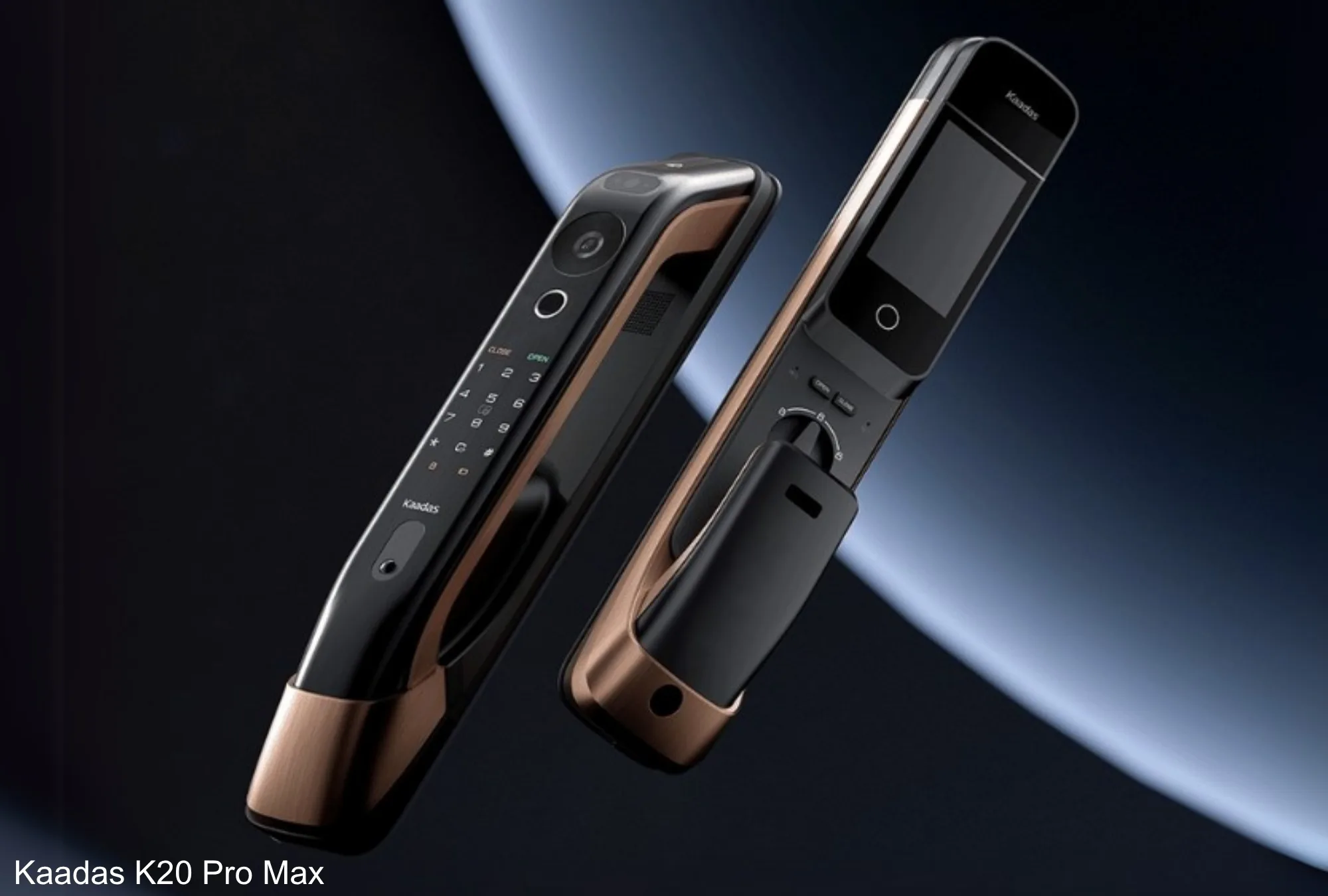
Sub-Total: RM0.00


Everything the Kaadas Smart Lock App Can Do — And Why It Changes How You Think About Home Access
When people buy a smart digital lock, they think about the lock. What they underestimate is the app. The Kaadas smart lock app is where the real intelligence lives — a feature-rich companion that turns your phone into a full door management centre.
Not just lock and unlock. Not just a notification when someone enters. The Kaadas app is a real-time monitoring system, a visitor communication tool, a temporary access manager, a security alert platform, and a complete access history log — all in one interface.
This guide walks through every key feature in detail, explains exactly how each one works, and shows you the practical difference it makes for Malaysian homeowners.
| • The Kaadas app connects to your digital lock via WiFi for full remote management from any location. • Features include: live door view, screenshot/video recording, voice changer, quick replies, remote unlock, 3-way communication, OTP and scheduled temporary PINs, access logs, doorbell alerts, and loitering detection. • No internet connection is needed for biometric or PIN access — the app adds the remote management layer. • Available free on iOS and Android — no ongoing subscription required. |
Try It Yourself
Explore digital locks with WiFi — the full Kaadas connected lock range
What Is the Kaadas Smart Lock App?
The Kaadas app is a smartphone application that connects to your Kaadas digital door lock via your home WiFi network. Once connected, it gives you complete control and visibility of your door from anywhere with an internet connection — whether you are upstairs, at the office, or overseas.
The app is available for both iOS and Android devices and is designed to work intuitively for all users — from tech-savvy professionals to first-time smart home adopters.
Kaadas Smart Lock App: Feature-by-Feature Breakdown
📷 Click to View Door Front (Live Camera Feed)
Tap a single button in the app to instantly view a live camera feed of your front door. This is not a static snapshot, it is a real-time video stream showing exactly what is happening at your entrance right now. The K70SE and P30 Pro Max both support high-definition live view, with the P30 Pro Max offering dual-camera coverage. Simultaneously, you can see both the visitor and the wider entrance area. You can check on your door at any time — morning, night, or from the other side of the world.
🎥 Screenshot and Record Video
While viewing the live door feed, you can capture a still screenshot or record a video clip directly from the app. This is particularly useful for capturing evidence of suspicious activity, documenting a delivery that was left at your door, or keeping a visual record of a visitor interaction. Both video recordings and screenshots are saved locally on your phone for easy reference and sharing.
🎙️ Voice Changer During Communication
The Kaadas app includes a voice changer feature during live audio communication with visitors at your door. This allows you to disguise your voice while speaking through the app — useful for privacy when you prefer not to reveal that the response is coming remotely, or when a household member wants to respond without identifying themselves to an unfamiliar caller. The voice changer is a practical security enhancement that adds a layer of anonymity to remote communication.
💬 Quick Reply (Pre-Set Voice Messages)
Quick Reply allows you to respond to a visitor at your door with a pre-recorded or pre-set voice message — instantly, with a single tap. This is ideal when you are in a meeting, driving, or otherwise unable to engage in a live two-way conversation. Set up messages in advance such as ‘Please leave the parcel at the door’, ‘I will be home in 10 minutes’, or ‘Please wait, I will be right there. Quick Reply ensures you never leave a visitor without a response, even when you cannot speak directly.
🔓 Remote Unlock
Remotely unlock your door from anywhere in the world with a single tap in the app. After viewing the live camera feed and verifying the visitor’s identity, you can grant immediate access without being physically present. Remote unlock is particularly useful for: letting in a trusted repair technician while you are at work; granting access to a family member who has forgotten their PIN; allowing a cleaner or helper to enter at a confirmed time; managing property access as a landlord without being on-site. All remote unlock events are logged automatically in your access history.
📞 Three-Way Communication (K70SE)
The Kaadas K70SE Real-world example: your child is home alone Three-way communication gives you full situational awareness and the ability to guide interactions at your door from a distance.
🔑 Temporary PINs — OTP (One-Time Password) and Scheduled Access
The Kaadas app provides two types of temporary PIN codes for granting time-limited access to visitors, service staff, or guests:• OTP (One-Time Password): A unique PIN that is valid for a single use only. Once the code is entered and the door is unlocked, the PIN is automatically invalidated — it cannot be used again. Ideal for one-off delivery authorisation, a contractor’s single visit, or a guest arriving while you are out.• Scheduled Access PIN: A PIN that is valid only during a defined time window — for example, Monday to Friday between 9 AM and 5 PM. Once the schedule expires, the PIN is automatically deactivated without any manual deletion required. Ideal for domestic helpers, cleaners, tutors, or regular service staff with consistent working hours.Both types are generated instantly in the app and can be shared via WhatsApp, SMS, or any messaging platform. No physical key handling, no permanent access granted.
📋 Lock Activity History (Full Access Log)
Every access event is recorded in detail in the app’s activity log: who entered (by name/user profile), what authentication method was used (face recognition, fingerprint, PIN, card, or app), the exact date and time, and whether access was granted or denied. For video door lock models, camera activity is tied to the log so you have a visual record alongside the access data. You can scroll back through days or weeks of history, filter by user or event type, and review any entry at any time — a complete, transparent record of all door activity.
🔔 Alert Log Upon Doorbell Press
Every time a visitor presses the doorbell on your Kaadas lock, an instant push notification is sent to your phone — even if you are not actively using the app. The notification includes a camera snapshot of who pressed the bell, the exact timestamp, and a quick-action button to open the live view or respond immediately. All doorbell press events are recorded in the alert log for later review. You will never miss a visitor, delivery, or unexpected caller — regardless of where you are.
⚠️ Loitering Alert (Suspicious Presence Detection)
The loitering alert feature monitors the area outside your door using the lock’s built-in camera and triggers an alarm when a person remains within the detection zone for longer than your configured time threshold. Unlike a motion detection alert that fires for every passing pedestrian, the loitering alert is specifically designed to flag sustained presence — the behavioural pattern most associated with surveillance before a break-in attempt. Configure your detection sensitivity and duration threshold in the app. When triggered, you receive an immediate push notification with a camera snapshot. Review the footage directly in the app and decide on your response — whether that is activating Defence Mode, contacting a neighbour, or calling the authorities.
All App Features at a Glance
| App Feature | What It Does | Best Used For |
| Live Door View | Real-time camera feed of entrance | Checking on visitors, deliveries, activity |
| Screenshot / Record | Capture images or video from live feed | Evidence, delivery records, incident logging |
| Voice Changer | Disguise voice during live communication | Privacy when responding remotely |
| Quick Reply | One-tap pre-recorded voice messages | Responding when unable to speak live |
| Remote Unlock | Unlock door from anywhere via app | Letting in verified visitors remotely |
| 3-Way Communication | Door + app + indoor unit on same call | K70SE: family-at-home + remote monitoring |
| OTP PIN | Single-use access code | One-off visitors, contractors, deliveries |
| Scheduled PIN | Time-window access code | Helpers, cleaners, regular service staff |
| Activity History | Full log of all access events | Accountability, security review, monitoring |
| Doorbell Alert Log | Notification + snapshot on bell press | Never miss a visitor or delivery |
| Loitering Alert | Detect sustained presence outside door | Early warning of suspicious behaviour |
Does the App Work Without the Internet?
Yes — and this is important to understand. The Kaadas digital lock does not depend on the internet for everyday access. All biometric methods (face recognition, fingerprint), PIN codes, and access cards work directly on the lock device without any WiFi or mobile data connection.
The Kaadas app and WiFi connectivity add the remote management layer on top — live video, push notifications, remote unlock, temporary PINs, and access logs. If your WiFi goes down or your phone has no data, your door continues to work normally through all locally registered methods.
Emergency backup features are also built in: USB Type-C charging via a power bank if the battery runs low, and a mechanical key override as a final backup for complete battery failure.
Privacy and Security: Is the App Safe?
Smart home app security is a legitimate concern, and Kaadas addresses it at multiple levels:
- Encrypted communication — all commands between the app and lock use secure encrypted protocols
- Biometric data stored locally on the lock — face and fingerprint profiles are not uploaded to the cloud
- Fake PIN code — enter random digits before or after your real PIN to prevent anyone nearby from observing your actual code
- Defence Mode — disables all access methods except the master key when you are away, activated via the app
- Privacy Mode — restricts access to master PIN or mechanical key only for maximum local security
- Tamper Detection — lock triggers an immediate alert if physical interference is detected
Who Benefits Most From the Kaadas App?
- Working parents — monitor when children arrive home, track helper access schedules in real time
- Frequent travellers — full home access control and live monitoring from any country
- Property investors and landlords — manage tenant access remotely, review entry logs, issue OTP PINs for maintenance visits
- Households with domestic helpers or cleaners — set precise scheduled access windows, receive arrival and departure alerts
- Elderly homeowners — family members can remotely manage and monitor access on their behalf
- Security-conscious homeowners — loitering alerts, Defence Mode, and full activity logs provide comprehensive protection
Why Kaadas App Integration Stands Out
- Integrated WiFi — no extra gateway or bridge device required for app connectivity
- OTP and Scheduled Access PINs — two temporary PIN types for different real-world needs
- Three-way video communication on the K70SE — door, app, and indoor unit simultaneously
- Voice changer and Quick Reply for private, convenient remote communication
- Loitering alert — intelligent, adjustable suspicious behaviour detection
- Full activity history with timestamped records and camera-tied logs
- Available free on iOS and Android — no ongoing subscription fee
- Backed by 39 years of manufacturing expertise and 400+ international patents
Frequently Asked Questions
Q: Do I need WiFi for the Kaadas app to work?
A: WiFi is required for all remote features: live video, push notifications, remote unlock, and temporary PIN management. However, all core access methods — face recognition, fingerprint, PIN, and access card — work locally on the lock without any internet connection.
Q: What is the difference between an OTP PIN and a Scheduled Access PIN?
A: An OTP (One-Time Password) PIN is valid for a single use only — once used to unlock the door, it is automatically invalidated. A Scheduled Access PIN is valid during a defined time window (e.g., Monday to Friday, 9 AM to 5 PM) and is automatically deactivated when the schedule expires. OTP is best for one-off visitors; Scheduled Access is best for regular staff with consistent working hours.
Q: What is three-way communication and which model supports it?
A: Three-way communication means the outdoor lock at your doorstep,the Kaadas smartphone app, and an indoor lock intercom unit can This is supported by the Kaadas K70SE. It allows a family member at home to respond at the door display while you monitor and communicate remotely on your phone — simultaneously.
Q: Can I record a video of someone at my door?
A: Yes. While viewing the live camera feed in the app, you can capture screenshots or record video clips directly. These are saved on your phone for future reference and can be used as evidence if needed.
Q: How does the loitering alert avoid false triggers from normal foot traffic?
A: The loitering alert is configured by you — you set the time threshold that defines “loitering” for your specific entrance. A person walking past will not trigger the alert; only someone remaining in the detection zone beyond your set duration will. This makes it specifically useful for detecting surveillance behaviour rather than normal pedestrian movement.
Q: Is the Kaadas app free to use?
A: Yes. The Kaadas app is free to download on iOS and Android. All core features — live video, remote unlock, temporary PINs, activity logs, alerts, and communication tools — are included with your lock purchase, with no ongoing subscription fee required.
Start Your Smart Home Journey
Explore Kaadas WiFi digital locks with full app control — Malaysia’s most trusted smart lock brand.
Explore Further
Browse digital locks with WiFi
Learn about Kaadas Malaysia innovation
View the Kaadas K70SE product page
About Author
This article was researched and written by the Kaadas Malaysia content team — a group of smart home specialists, security technology writers, and product experts dedicated to helping Malaysian homeowners navigate the world of digital locks with clarity and confidence. Kaadas Malaysia is the authorised distributor of Kaadas smart digital locks, trusted by homeowners across Malaysia for over 39 years of global manufacturing excellence.
Last Updated: May 2026 | Kaadas Malaysia | https://kaadas.com.my/